

Business Plan (BP) management mode in MySTART:
without monitoring/ mentor - performed through an individual MA account (without support from the MIP team)
with monitoring / mentorship - the business plan is developed within a project of the “umbrella” type, which provides the funding source for the business plan.
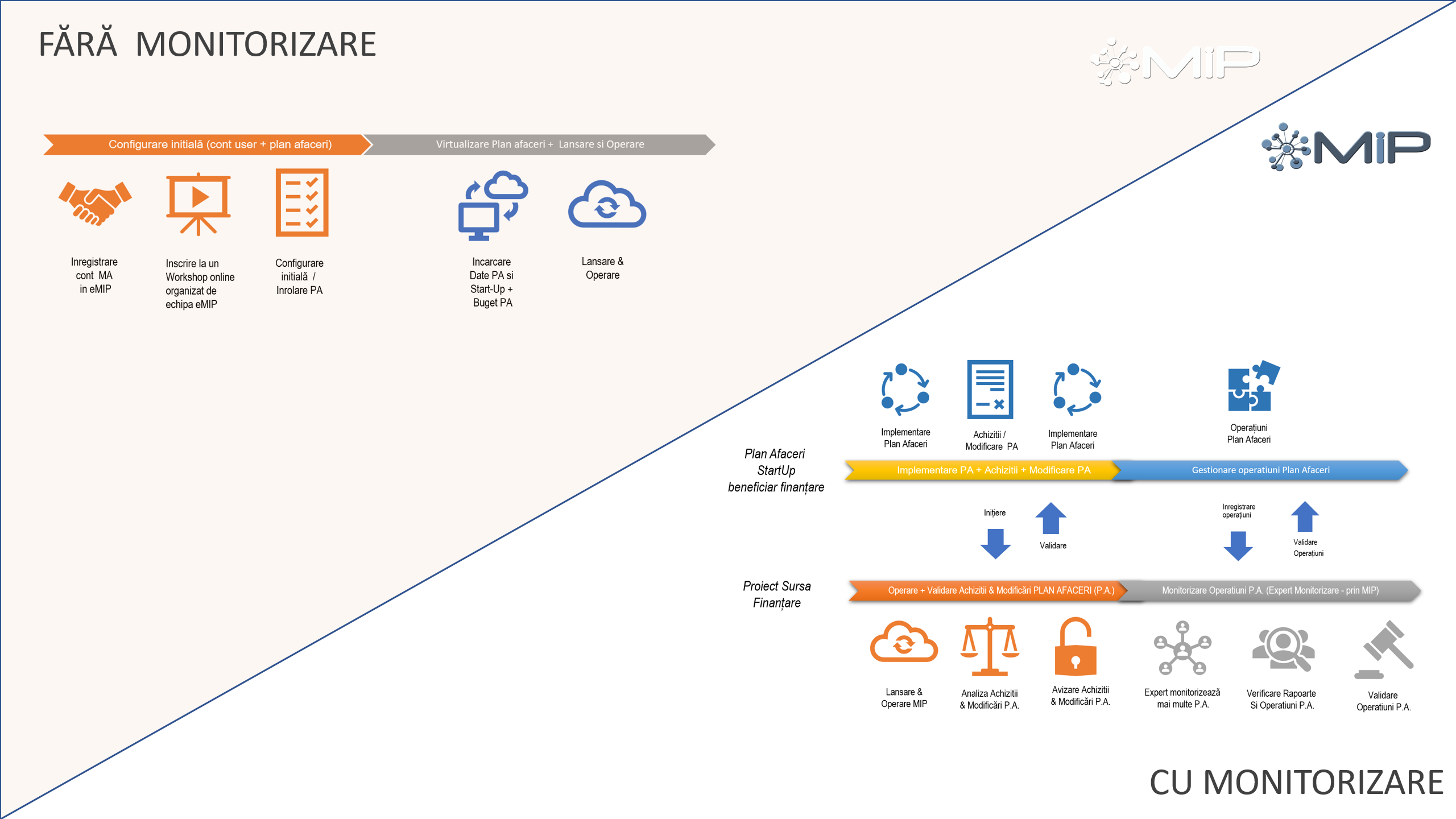
For the first case (a), the entire BP management is carried out by the Business Manager (BM - the direct beneficiary of the business plan, respectively the legal Administrator of the StartUp), with no third party involved in monitoring the implementation of the business plan
In case (b), the business plan is managed by the BM, with monitoring of all activities carried out by the BM by the MonitoringExpert throughout the implementation period.
MonitoringExpert - is designated by the Project Manager from the funding-source project. This person can be replaced at any time, with the mention that during the monitoring period of the business plan, all operations associated with the BP are validated by the MonitoringExpert, and the deliverables are endorsed / signed, being included both in stack files (_PA_...) and in the archive of the source project.
Individual BP management - without monitoring/ mentorship:
The business plan management is carried out individually by the Business Manager (BM) - without mentorship/monitoring and without the intervention of the MIP team
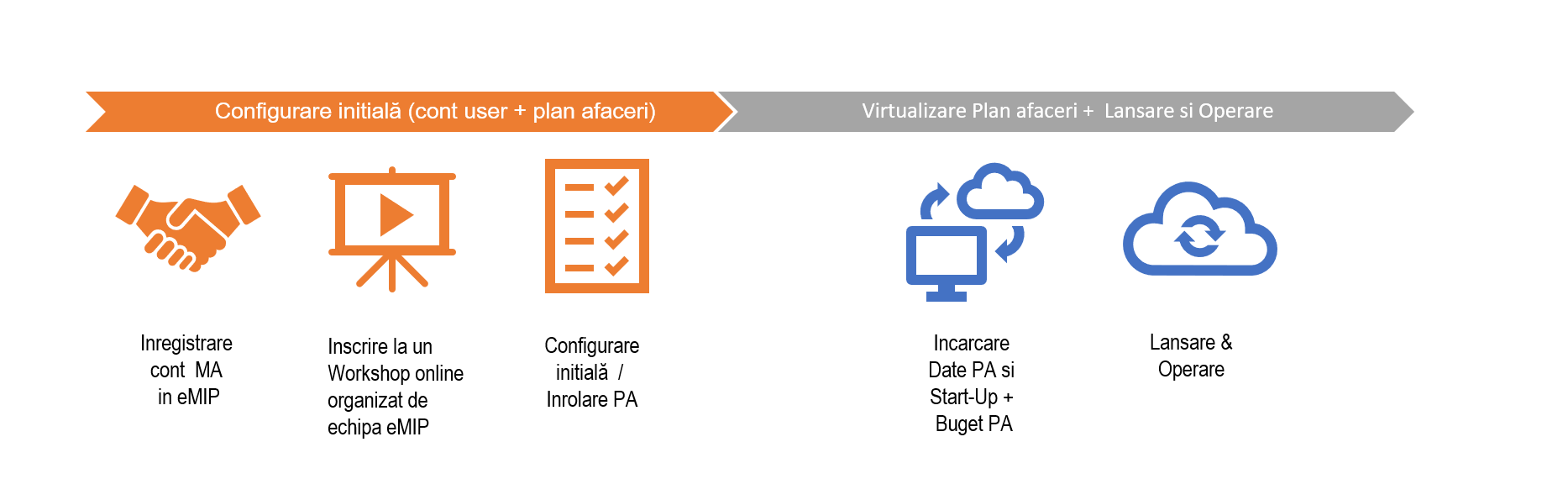
The account registration is done by accessing the link https://pro.emip.ro/ . From the authentication screen, select the field Register account, following the steps for setting the password, confirming the email address, etc. After registration, you will have access to the unconfigured business plan.
After registration and the first login, you have access to the business plan template, free of charge, without assistance from the MIP team.
For configuration, you can follow the steps presented in MySTART User Manual.
After configuring your business plan, the data loading stage follows as follows:
Vertical StartUp menu: Incorporation, Authorization, Human Resources and Business Plan.
Vertical Budget menu: Define Budget Categories (budget structure), Define Budget (load budget lines). To move to stage 3, it is necessary to have the initial budget version (V.0) approved by registering it in the menu StartUp>> Business Plan >> Table "Add / Modify BP and Annexes & Approval of changes" and selecting the APPROVED status from the "Approval status" list. After this stage you must go to the vertical menu Budget> Define Budget and finalize budget version V.0. After completing these steps you can move to stage 3 - Load Operations.
Vertical Operations menu: Load operations, in the sequence described in the Operations tutorial.
Managing the business plan through a source funding project.
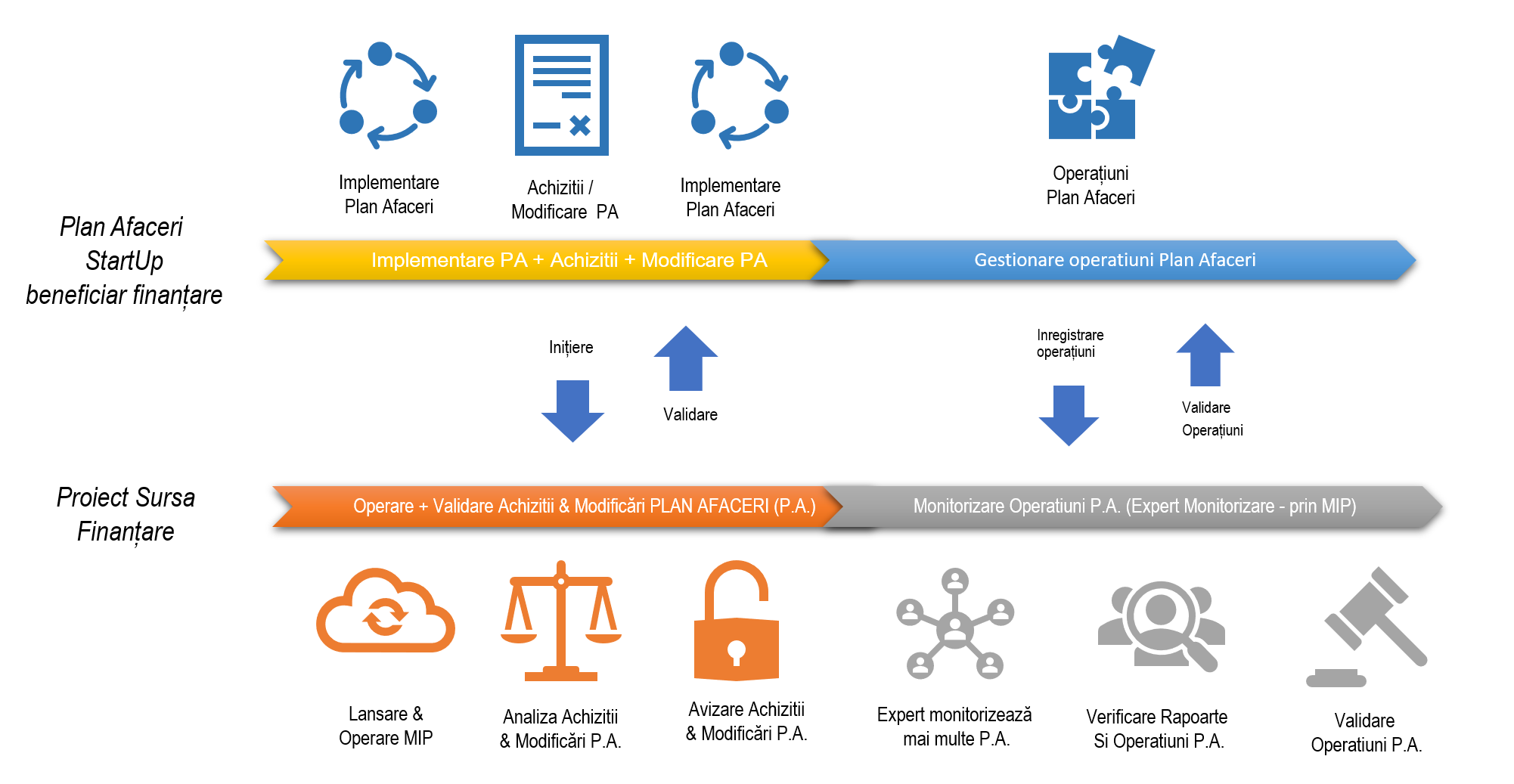
This process is addressed exclusively to entities that implement source funding projects and whose activity is to provide state aid by financing business plans.
Subprocesses launched from the source funding project:
Configuring Business Manager accounts (at [email protected] level)
Associating the User account (Business Manager - BM) with the generation of the business plan, associating the source funding Project, assigning to the Partner, associating with a MonitoringExpert.
Loading the Business Plan start date and implementation duration
Validating BP deliverables and operations (Income, Other Operations and Expenses),
Validation of business plan version changes (approval / rejection, as well as the possibility of requesting clarifications)
Validation of records in Human Resources (employee employment contracts, addenda, job descriptions, etc),
You can find out more about configuring business plans, here ..