

Teams implementing European projects face a critical daily challenge: rapid digitization of documents directly from the field. Whether we are talking about transport receipts, signed minutes, or Expert Calendar deliverables - documents must be captured, processed, and uploaded to the project management system as efficiently as possible. A mobile document scanner dedicated to project teams is no longer a luxury, but an operational necessity.
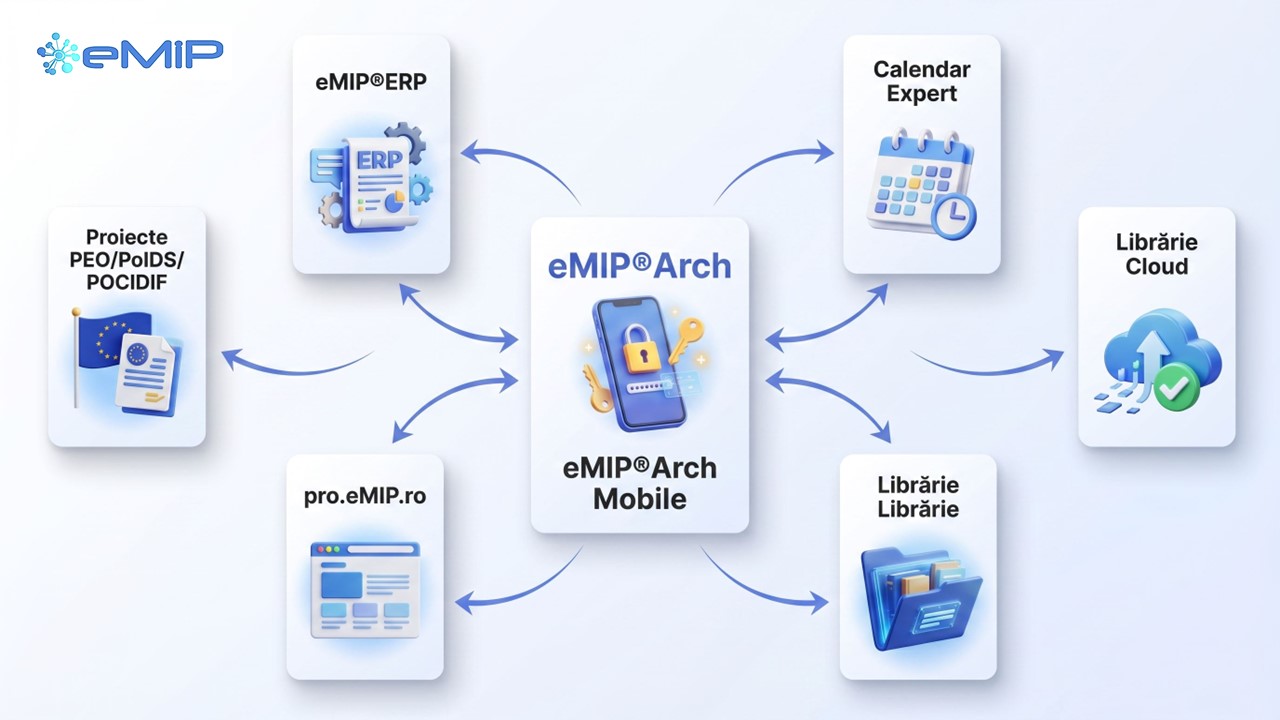
This is where eMIP®Arch Mobile comes in - the iOS and Android scanning application that turns your smartphone into a professional portable scanner, fully integrated into the eMIP.ro ecosystem.
How does eMIP®Arch Mobile become: The Smart Portable Scanner?
eMIP®Arch is the native mobile application for iOS and Android, developed specifically for project teams working with European funds. It is the official mobile client of the eMIP document management platform, offering complete capabilities for digitizing project documents directly in the field.
The application is part of the integrated eMIP ecosystem, alongside eMIP®ERP and Calendarul Expertului - essential tools for teams implementing PEO (Programul Educație și Ocupare), PoIDS (Programul Incluziune și Demnitate Socială) and POCIDIF. Everything you scan on your phone is automatically synchronized with the desktop platform, in a single unified database.
Main features
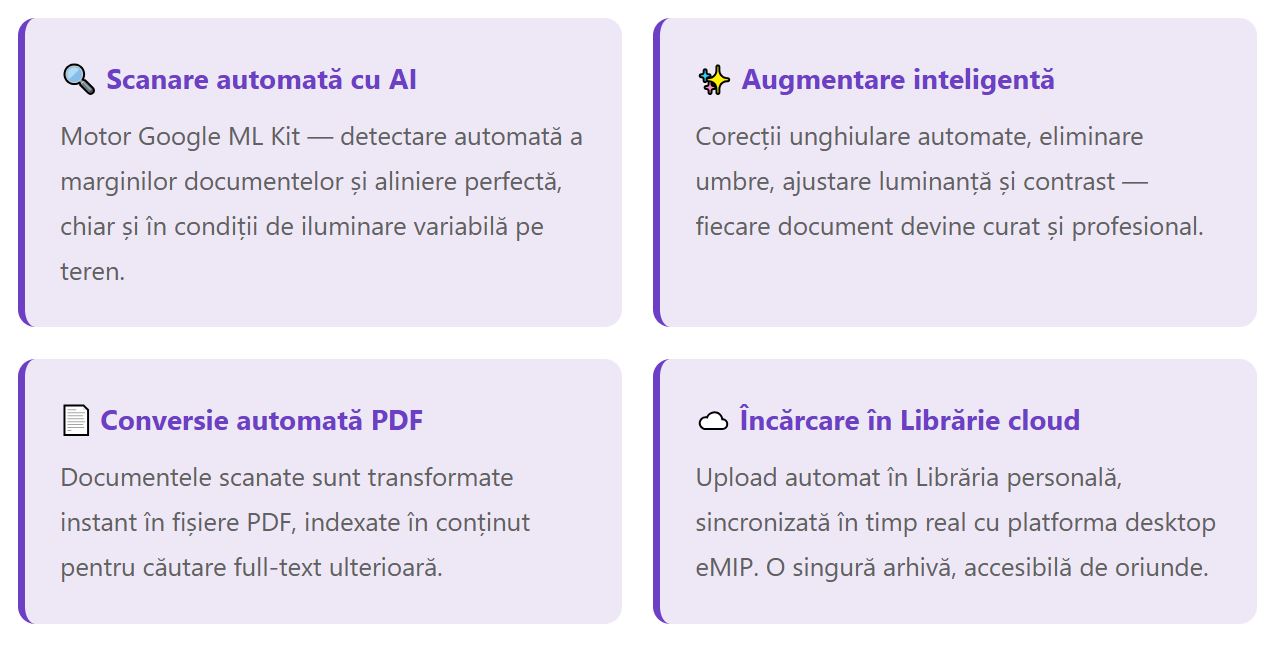
eMIP®Arch integrates advanced technologies to provide the team with efficient and professional document management:
Who is eMIP®Arch for?
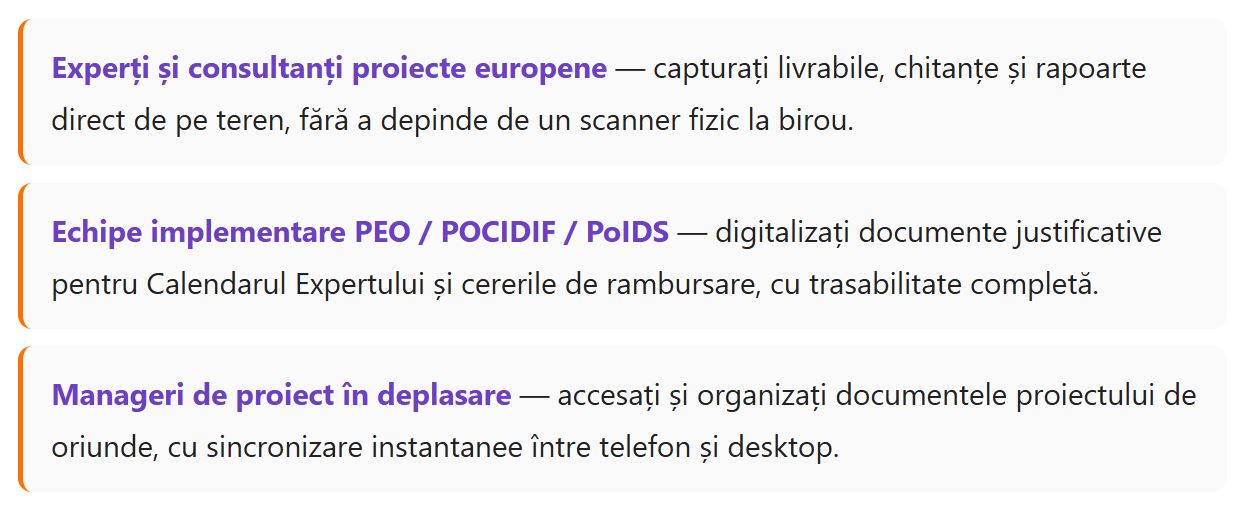
The application is designed for professionals who need fast and reliable digitization directly from work sites:
First steps with eMIP®Arch
Start digitizing documents in less than 5 minutes:
1. Download the application


Choose your phone's store!
2. Authenticate securely
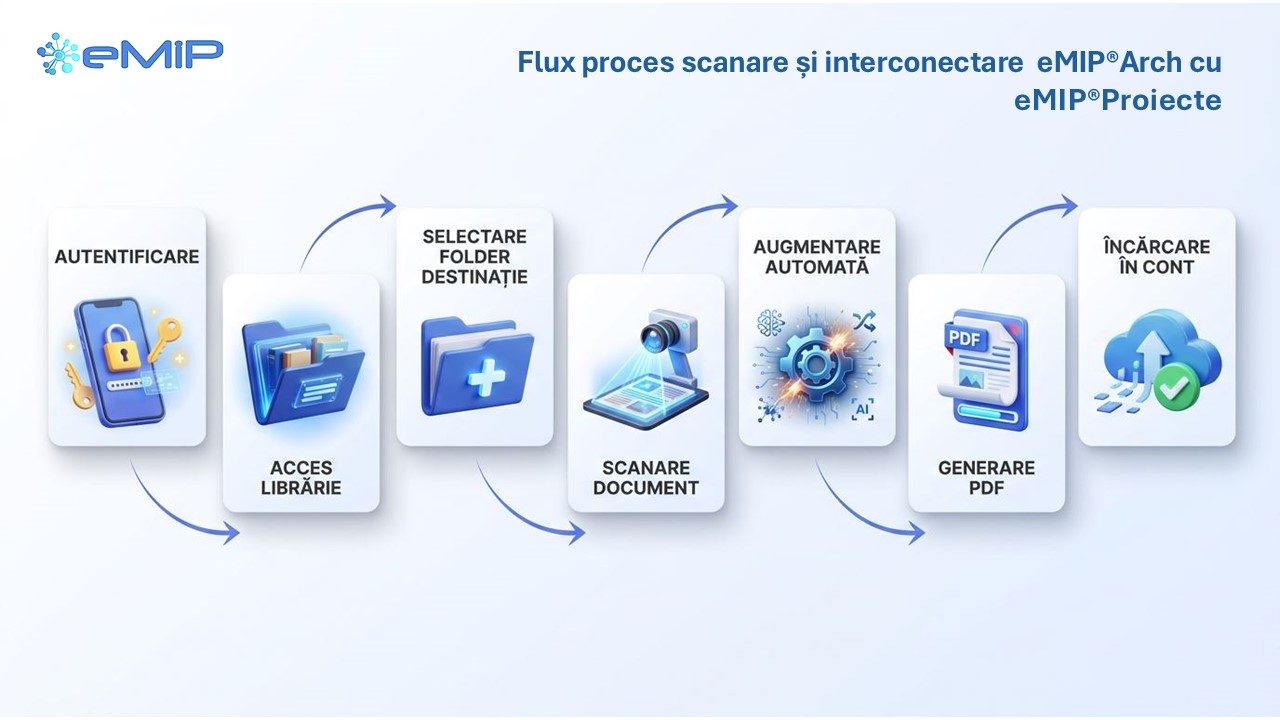
Use your existing account from the eMIP desktop platform or create a new one directly from the app. Enable two-step authentication (2FA) for an additional level of security — the verification code arrives by email or SMS.
3. Make your first scan
Navigate to the Librarytab, select a folder, press the + button, and choose "Scan". The application automatically detects the document edges, applies alignment and contrast corrections, then saves the result as a PDF in the cloud Library.
Conclusion
eMIP®Arch Mobile radically transforms the way project teams manage documents in the field. Automatic AI scanning, intelligent enhancement, PDF conversion, and cloud synchronization - all one tap away. Download the app, sign in, and make your first scan in less than 5 minutes, getting with eMIP®Arch Mobile: The Smart Portable Scanner.
→ Access pro.eMIP.ro to get started: https://pro.emip.ro